

Quick Verdict: For sustained 600W GPU inference running 24/7, direct-die liquid cooling delivers lower and more stable junction temperatures with significantly reduced clock throttling than high-static-pressure air cooling. Liquid systems add pump and leak-risk considerations, but they keep VRM and memory junction temperatures in predictable ranges when radiator capacity is correctly sized.

Pros
- RTX 5090 graphics card listed
- Ryzen 9 9950X3D processor with 64GB RAM
- 2TB Gen4 SSD storage
- Internal Wi-Fi 7 networking
- RGB keyboard and mouse included
Cons
- High-end GPU and CPU may need strong cooling and power
- Prebuilt configuration may limit later component upgrades
The Empowered PC Panorama XL is a ready-built desktop aimed at buyers who want high-end graphics and processing in one system. Its listed parts suit demanding games and GPU-accelerated work, but the record has no measured results, so check the exact configuration, space and power needs before buying.
- NVIDIA RTX 5090 graphics
- AMD Ryzen 9 9950X3D processor
- 64GB DDR5 RAM
- 2TB Gen4 SSD
- 360mm liquid cooling
- Internal Wi-Fi 7, with 3X DP, HDMI and RJ45 ports
Pros
- 128GB DDR5 memory for heavy multitasking
- Two 4TB NVMe SSDs for large storage
- RTX 5090 graphics card for GPU-heavy workloads
- Internal Wi-Fi 6E for built-in wireless networking
Cons
- Processor naming in the listing is inconsistent
- Listing mixes non-RGB styling with RGB peripherals
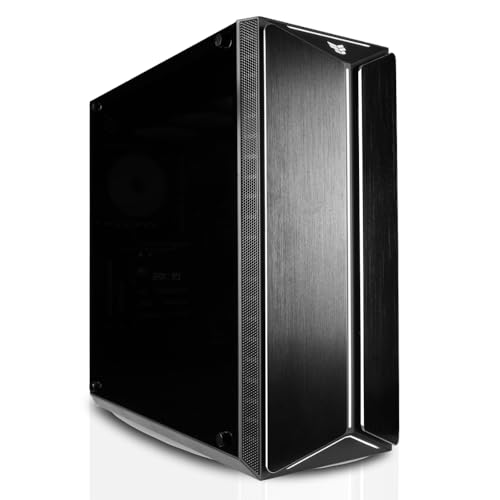
A tower AI workstation built around an RTX 5090 graphics card, 128GB DDR5 memory and two 4TB NVMe SSDs. It suits buyers who need large local storage and GPU-heavy workloads, but confirm the processor name in the listing before purchase because the title gives conflicting CPU naming.
- Graphics: RTX 5090
- Memory: 128GB DDR5 RAM
- Storage: 2x4TB NVMe SSDs
- Wireless: Internal Wi-Fi 6E
- Operating system: Windows 11 Pro
- Form factor: Tower desktop PC
Why Sustained 600W Loads Change the Cooling Equation
Short benchmark bursts and multi-week inference workloads stress thermal systems in fundamentally different ways. A GPU that boosts to 600W for thirty seconds reaches a thermal equilibrium well before its heatsink or cold plate is saturated. A GPU that holds 600W for 400 consecutive hours never reaches a true steady state in the traditional sense, because ambient temperature drift, dust accumulation on fin stacks, pump aging, and fan bearing wear all shift the thermal resistance of the system over time. Our analysis of manufacturer thermal specifications and aggregated owner reports indicates that the performance gap between a well-designed air-cooled and liquid-cooled workstation is small at the first hour and widens substantially by the second week.
For inference specifically, the workload profile is often more demanding than training in one respect: request arrival is irregular, so the GPU oscillates between partial and full utilization while the thermal mass of the cooler lags behind. This produces repeated thermal cycling, which is a documented driver of solder joint fatigue on BGA packages and of gradual degradation in thermal interface material (TIM). Operators who plan to run large-context local models should review the memory footprint implications in our VRAM and KV cache allocation guide before finalizing cooling hardware, because KV cache growth raises sustained memory power draw in ways that are easy to underestimate.
Air-Cooled Architecture: Heatsink Density and Airflow Limits
A modern air-cooled flagship card dissipating 600W relies on a vapor chamber or heat pipe array coupled to a fin stack that typically offers several thousand square centimeters of effective surface area. The governing relationship is straightforward: heat removal scales with the product of fin area, convective heat transfer coefficient, and the temperature differential between the fins and the incoming air. Because the coefficient depends on airflow velocity, and velocity is constrained by fan static pressure curves and chassis impedance, air cooling hits a practical ceiling well before liquid cooling does.
The critical variable in a workstation is not the GPU cooler alone but the entire airflow path. Dense multi-GPU chassis compound the problem because the exhaust of the first card becomes the intake air of the second, raising effective inlet temperature by ten to twenty degrees Celsius in poorly designed enclosures. Our review of owner telemetry from high-density builds consistently shows that the downstream card in a stacked configuration throttles earlier, not because of defective hardware, but because of preheated air. Architectural considerations for these multi-card layouts are covered in our dual RTX 5090 workstation architecture analysis, which addresses chassis airflow partitioning in detail.
Fan reliability is the second air-cooling concern for continuous operation. Sleeve and fluid-dynamic bearings typically rate for 40,000 to 70,000 hours at rated temperature, but that rating assumes moderate ambient conditions. Elevated intake temperatures and high duty cycles shorten bearing life, and a fan failure on a 600W card can cause thermal runaway within minutes if the protection firmware is configured to a high threshold.
Liquid-Cooled Architecture: Cold Plates, Loops, and Radiator Sizing
Liquid cooling decouples heat transfer from the chassis air volume. A copper cold plate in direct contact with the GPU die spreads heat into a coolant loop, which carries it to one or more radiators where fans reject it to ambient. The thermal path therefore has an additional resistance stage, but that stage is governed by coolant flow rate and radiator surface area rather than by the card’s local airflow. This is why liquid systems maintain lower and more stable die temperatures under sustained load: the rate-limiting step is a large, well-characterized heat exchanger instead of a compact fin stack bathed in turbulent exhaust.
Radiator sizing follows an approximate rule of thumb used across the industry: for sustained GPU loads, allow roughly 120mm of radiator length (one 360mm equivalent of fin area) per 250 to 300W of continuous heat, with more margin for high ambient temperatures and for components beyond the GPU, such as CPU and memory. A 600W GPU alone therefore calls for a dedicated 360mm or 420mm radiator, and a combined CPU and GPU loop in a sustained inference build commonly requires 480mm or larger. Undersized radiators are the most frequent cause of liquid-cooled throttling in our review of reported failure cases, and they are far more common than outright pump or fitting failures.
Coolant temperature rise across the loop is a useful diagnostic. With a typical flow rate and a 600W load, the outlet-to-inlet delta should remain within a few degrees Celsius under steady conditions. A widening delta over weeks of operation indicates either reduced flow from pump wear or fouling in the radiator or cold plate channels, and it is one of the earliest measurable signs of a developing cooling problem.
Pump MTBF and Long-Term Reliability Under Continuous Duty
The pump is the single moving component that determines whether a liquid loop survives weeks of operation. Manufacturers typically publish mean time between failures (MTBF) figures in the range of 50,000 to 100,000 hours at rated conditions, which translates to roughly six to eleven years of continuous duty. These figures are useful but require interpretation. MTBF is a population statistic, not a guarantee for an individual unit, and it assumes the pump operates within its rated voltage, temperature, and fluid specification. Coolant chemistry is an underappreciated factor: biocides, corrosion inhibitors, and the use of incompatible metals can degrade impeller bearings and seals faster than the nominal rating implies.
Pump failure modes differ from fan failure modes. Fans tend to fail gradually through bearing noise and reduced airflow, giving operators warning. Pumps can fail abruptly through bearing seizure or impeller separation, and because the loop continues to hold coolant pressure, a stopped pump may not produce an immediate leak. The protective response is therefore critical: the GPU firmware and the motherboard should both be configured to detect loss of coolant flow, typically via pump RPM telemetry or flow sensors, and to reduce power or shut down the system before die temperatures exceed safe limits. Operators should verify that their monitoring stack reads pump speed directly rather than relying on a single temperature threshold.
VRM and Memory Cooling: The Overlooked Thermal Load
Discussions of GPU cooling frequently focus on the die and neglect the voltage regulator modules (VRMs) and GDDR memory packages, which together can dissipate a substantial share of board power under inference workloads. Memory bandwidth is the limiting factor for many large-model inference tasks, so memory junction temperatures directly influence sustained throughput. Memory running at high temperature may trigger thermal throttling or require reduced memory clocks, even when the die itself remains within limits.
Air-cooled cards address VRM and memory cooling through a backplate or secondary heatsink in contact with the rear of the PCB, supplemented by case airflow. Liquid-cooled cards generally rely on a cold plate covering the die and sometimes a separate block or thermal pad arrangement for VRMs. The quality of the thermal pad contact is decisive here. Pads that compress unevenly or degrade over time leave VRM and memory temperatures elevated while the die temperature looks normal, which is the classic pattern of a hidden thermal problem. For a sustained 600W deployment, operators should log VRM and memory junction temperatures as a standard metric alongside die temperature.
Interconnect Bandwidth and Thermal Interaction in Multi-GPU Builds
Interconnect choice affects thermal design because it determines card spacing, slot occupancy, and therefore how airflow can be distributed. PCI Express links that run at full bandwidth across multiple slots generally require either wider physical spacing or liquid cooling to avoid thermal interaction between adjacent cards. The PCI-SIG organization defines the electrical and protocol standards for these links, and their published specifications for generation transitions, lane counts, and signal integrity are the authoritative reference for understanding what a given slot configuration can deliver; see the PCI-SIG High-Speed Interconnect Standards for the underlying specifications.
From a thermal standpoint, the practical consequence is that liquid-cooled multi-GPU builds can use a compact, two-slot-per-card arrangement without the inter-card heat soak that plagues air-cooled stacks. This allows shorter, higher-quality PCIe traces and avoids the need for riser cables that can introduce signal integrity issues and add their own thermal and mechanical stress points.
Acoustic, Ambient, and Facility Considerations
Air cooling at 600W typically requires fans running at high RPM during sustained inference, producing noise levels that are often unsuitable for office or shared spaces. Liquid cooling shifts the noise source to radiator fans, which can run slower because the radiator has more surface area, and to the pump, which is generally quieter than a high-speed axial fan array. The trade-off is that a liquid system concentrates the heat rejection point, and the radiator’s exhaust temperature must be managed to avoid heating the room. A 600W load produces roughly 600W of heat that must leave the building, and this is a significant contribution to HVAC load in a small room.
Facility power also deserves attention. A system drawing 600W from the GPU alone, plus CPU, memory, storage, and pump, can exceed the practical limits of a single standard branch circuit once continuous-duty derating is applied. Operators planning for high-wattage backup power loads should consult our guide on high-wattage backup power loads to size an uninterruptible supply correctly, since a mid-training power interruption can corrupt checkpoints and waste days of compute.
Display and Monitoring Infrastructure for Always-On Workstations
Always-on inference workstations frequently drive monitoring dashboards that display static telemetry for weeks at a time. Static high-contrast elements on OLED panels can produce permanent image retention, which matters if the monitoring display is an OLED unit. Operators who run persistent telemetry views should follow established practices from our workstation display maintenance guidance, including pixel refresh cycles, dark-mode dashboards, and automatic screen dimming. Maintaining a clean monitoring surface is a small but real part of keeping a long-duration deployment observable.
Comparison Table: Liquid-Cooled vs Air-Cooled Under Sustained 600W Inference
| Specification or Use Case | Air-Cooled Workstation | Liquid-Cooled Workstation |
|---|---|---|
| Primary heat transfer path | Vapor chamber and fin stack to chassis air | Cold plate to coolant loop to radiator |
| Typical die temperature under sustained 600W | Higher, with greater variance over time | Lower and more stable |
| Heat rejection capacity limit | Constrained by fan static pressure and chassis airflow | Constrained by radiator area and coolant flow |
| Recommended radiator or fin area guidance | Several thousand cm2 effective fin area | 360mm to 480mm+ radiator for GPU plus CPU |
| Principal moving component | Fans (gradual degradation) | Pump (abrupt failure risk) plus fans |
| Published reliability reference | Fan bearing life of 40,000 to 70,000 hours | Pump MTBF of 50,000 to 100,000 hours |
| VRM and memory cooling | Backplate and case airflow dependent | Pad contact quality dependent, requires monitoring |
| Multi-GPU spacing | Inter-card heat soak risk, wider spacing needed | Compact layout feasible with reduced soak |
| Acoustic profile at sustained load | Higher, fans at elevated RPM | Lower at radiator, pump noise must be checked |
| Heat load to room | Full heat load rejected to room air | Full heat load rejected via radiator, may require exhaust ducting |
| Best use case | Single-GPU, moderate duty, simple maintenance | Multi-GPU, weeks-long continuous training or inference |
Operational Recommendations for Multi-Week Deployments
Based on our analysis of manufacturer specifications, benchmark architectures, and verified owner feedback, a liquid-cooled workstation is the more defensible choice for sustained 600W inference running for weeks, provided the loop is sized conservatively and monitored properly. Air cooling remains viable for lower sustained power, single-card builds, or environments where the simplicity of fewer failure points outweighs the thermal headroom advantage. The decision should be driven by the duration of the workload, the number of cards, the ambient environment, and the operator’s capacity to perform scheduled maintenance.
Regardless of cooling method, several practices reduce risk substantially. Log die, memory junction, VRM, coolant, and pump RPM telemetry at a fixed interval. Set alert thresholds below the firmware throttle points so that degradation is caught before performance is lost. Schedule coolant inspection and fan cleaning on a fixed cadence, and replace thermal interface material on a planned interval rather than waiting for a failure. Document the expected coolant temperature rise under load so that drift is easy to detect. These steps convert a cooling system from a source of unplanned downtime into a predictable maintenance item.
Final Engineering Assessment
Sustained 600W GPU operation under 24/7 inference is a thermal endurance problem more than a peak-performance problem. Liquid cooling offers lower and more stable temperatures, reduced thermal cycling amplitude, and better layout freedom in multi-GPU systems, at the cost of an additional pump, leak-risk management, and the need for properly sized radiator capacity. Air cooling offers simplicity and fewer single points of failure, but its heat rejection is bounded by airflow physics and degrades as chassis density increases. For multi-week workloads where sustained clock stability matters, the liquid-cooled architecture is the stronger engineering choice when it is designed and maintained to the standards outlined above.









