Quick Answer: Solving How to Align Ultra Short Throw Projectors Without Keystone (2026)
Keystoning in UST systems is a geometry fault, not a software one. Fix it by squaring the chassis to the screen plane within u00b11 mm of lateral offset and u00b10.5° of yaw, leveling to u00b10.1°, then adjusting throw distance in 1 mm increments until all four corners focus simultaneously.

Digital keystone correction is a resampling operation. It takes a native 3840 × 2160 imaging surface, discards pixels along the compressed edges, and interpolates the remainder into a trapezoid-corrected raster. On a long-throw projector sitting 4 m back, that penalty is tolerable. On an ultra short throw projector firing a steeply folded optical path from 300 mm in front of the screen, the same correction destroys the one thing you paid for: edge-to-edge focus uniformity at extreme off-axis angles. This guide treats alignment as a mechanical and optical discipline, with numerical tolerances, and never once touches the keystone menu. For detailed technical setup and system integration, reference our analysis on converge rgb laser diodes on ultra short throw.
Root Cause Engineering & Mechanical/Optical Principles
A UST projector uses an aspheric mirror or a catadioptric lens group with a throw ratio typically between 0.19:1 and 0.25:1. The exit pupil sits below and forward of the image, firing upward at an angle that commonly exceeds 40° relative to the screen normal. Because the projection axis is so severely offset, every millimeter of mechanical error is multiplied by a large lever arm before it reaches the screen.
Three independent rotational axes and three translational axes govern the result. Understanding which error each one produces is the entire diagnostic skill.
- Yaw (rotation about the vertical axis): produces classic left/right trapezoid. One vertical edge of the image grows taller than the other. A 1.0° yaw error on a 100-inch 16:9 image creates roughly 18–22 mm of height differential between left and right edges.
- Pitch (rotation about the lateral axis, i.e. nose up/down): changes throw distance to the top of the screen far more than to the bottom. Because UST optics are focused for a fixed geometry, pitch error is the dominant cause of “top of the image is soft while the bottom is sharp.”
- Roll (rotation about the throw axis): produces a parallelogram — the whole image tilts. This is the error most often mistaken for a crooked screen.
- Lateral translation (X): shifts the image sideways with no shape change. Harmless and trivially correctable, provided yaw is already zero.
- Throw distance (Z): scales the image. On a 0.23:1 lens, 1 mm of Z movement changes image width by approximately 4.3 mm — a 4.3× mechanical amplification that makes fine sizing surprisingly touchy.
- Height (Y): shifts the image vertically and, on most cabinets, simultaneously introduces pitch if only the front or rear feet are adjusted.
The coupling in that last point is what defeats most owners. Front-foot and rear-foot adjusters are not independent controls; raising the front feet raises the image and pitches the chassis back, which simultaneously changes focus at the top of the frame. Correct procedure therefore requires decoupling: set pitch to zero against a reference plane first, then translate the entire chassis vertically using a shim stack or a height-adjustable cabinet, never by splitting the feet.
A second, under-appreciated factor is screen flatness. Fixed-frame ALR screens with angular-reflective or lenticular surfaces are directionally sensitive; a 3 mm bow in the center of a 100-inch frame will read as a focus fault even when the projector geometry is perfect. Our technical assessment reveals that a meaningful share of “unfixable” UST alignment complaints are screen tension faults, not projector faults. Professional installation tolerances for image geometry and screen planarity are codified in the AVIXA Audiovisual Standards, which remain the reference framework for commissioning projected displays.
Symptom-to-Failure-Mode Matrix
| Observed Symptom | Mechanical Failure Mode | Measurement Tool & Tolerance | Difficulty |
|---|---|---|---|
| Image wider at top than bottom, uniform focus | Pitch error (nose down) or screen tilted forward | Digital inclinometer on top deck; target u2264 0.1° delta vs. screen face | Low |
| Left edge taller than right edge | Yaw error about vertical axis | Twin laser distance meter, lens-plane corners; u0394 u2264 1 mm over 400 mm baseline (u22480.14°) | Moderate |
| Whole image tilted as a parallelogram | Roll error — cabinet not level laterally | 600 mm spirit level or inclinometer across chassis width; u2264 0.1° | Low |
| Top band soft, bottom band sharp | Pitch error altering top-of-screen conjugate distance | Focus test pattern at nine zones; subjective but repeatable | Moderate |
| Corners soft, center sharp, geometry square | Screen bow/tension fault or incorrect Z distance | Straightedge across screen face; u2264 1.5 mm deviation over 1 m | High |
| Image correct size but off-center horizontally | Pure X translation | Tape measure to image edges; u2264 2 mm asymmetry | Low |
| Image drifts out of alignment over weeks | Carpet creep, cabinet settling, or foot thread backlash | Repeat corner-distance log; drift > 2 mm triggers re-commission | Moderate |
| Geometry square, focus uniform, edges still blurred | Optical: mirror contamination or dust on aspheric surface | Visual inspection under oblique light; no deposits permitted | High |
| Rainbow or color fringing only at one edge | Lens decentering or shipping damage to mirror mount | Not field-serviceable; warranty assessment | Very High |
Step-by-Step Diagnostic & Calibration Procedure
Work through the following sequence in order. Each stage assumes the prior stage is complete, because correcting yaw before leveling, or focus before distance, forces you to redo the work. Allow 60–90 minutes for a first-time commission. Disable every geometry feature in the projector menu before you begin: keystone to 0, four-corner correction reset to default, warping off, and any automatic “smart” alignment or auto-focus disabled. Those features will fight you by re-applying correction between adjustments.
Stage 1 — Establish the Screen as the Reference Plane
- Verify the screen itself is plumb and level before touching the projector. Place a digital inclinometer against the left vertical frame member, then the right. Both should read within 0.1° of vertical.
- Check the screen’s forward lean. Many wall-mounted frames sit on cleats that tilt the top edge 0.3–0.8° outward. Measure with the inclinometer flat against the screen face, top and bottom. Any lean must be shimmed out at the mounting cleat — do not compensate with projector pitch.
- Confirm planarity with a 1 m straightedge laid horizontally across the viewing surface at one-third and two-thirds height. Deviation should not exceed 1.5 mm. Re-tension or re-seat the material if it does.
- Mark the exact horizontal center of the screen’s active image area with a strip of low-tack painter’s tape at the bottom edge. This becomes your datum for every subsequent measurement.
Stage 2 — Set Gross Throw Distance and Height
- Consult the manufacturer’s throw chart for your target diagonal. For a 0.23:1 ratio projector driving a 100-inch 16:9 image (2214 mm wide), the nominal lens-to-screen distance is approximately 509 mm, but the published figure is measured from the cabinet rear edge or the lens datum depending on the brand. Confirm which reference the chart uses — mixing them is a 150–200 mm error.
- Position the cabinet so the measured distance is within u00b15 mm of nominal. Precision at this stage is unnecessary; you will refine it in Stage 5.
- Set cabinet height so the bottom edge of the projected image lands 20–40 mm below the screen’s active area. Overshooting downward is intentional — it gives you headroom to trim upward later without re-pitching.
- Power on and display a full-field white or a grid test pattern. A 4K crosshatch with corner markers is ideal; a plain white field is acceptable for geometry but useless for focus.
Stage 3 — Null Roll and Pitch
- Place a digital inclinometer laterally across the projector’s top deck, spanning the full cabinet width. Adjust the two rear feet until the reading is 0.0° u00b10.1°. If the top deck is not a machined reference surface, use the cabinet’s bottom edge with the unit temporarily inverted, or bridge the feet with a straightedge.
- Rotate the inclinometer 90° to read front-to-back pitch. Adjust all four feet together — equal turns, counted — until pitch reads 0.0° u00b10.1°. Counting thread turns is what preserves height while changing attitude.
- If your screen has an intentional, unavoidable forward lean of u03b8 degrees, match the projector pitch to u03b8 rather than to 0.0°. The goal is parallelism between the lens datum plane and the screen plane, not parallelism with gravity.
- Re-check roll after adjusting pitch. The two axes interact through foot geometry and almost always need one iteration.
Stage 4 — Null Yaw (the Critical Step)
Yaw is the single hardest axis to judge by eye and the single largest contributor to residual trapezoid. Use measurement, not observation.
- Identify two points on the projector chassis that lie on a line parallel to the lens plane — typically the front-left and front-right corners of the cabinet. Note the separation; 400–600 mm is typical.
- Using a laser distance meter, measure from each point horizontally to the screen face. Keep the beam perpendicular and at identical height for both readings.
- Rotate the cabinet about its vertical center until the two readings match within 1 mm. On a 500 mm baseline, 1 mm equals 0.115° of yaw — below the threshold at which trapezoid becomes visible on a 100-inch image.
- Verify optically: measure the projected image height at the extreme left and extreme right. The two values should agree within 2 mm on a 100-inch image. If they do not, your chassis reference points were not actually parallel to the lens plane — pick different datum points and repeat.
- Finally, center the image laterally by sliding the cabinet along X only. Translation does not disturb yaw provided the cabinet slides rather than pivots. Target u2264 2 mm asymmetry between left and right overhang.
Stage 5 — Fine Z Trim and Focus Convergence
- With geometry now square, move the cabinet forward or back in 1 mm increments to size the image precisely to the screen’s active area. Remember the u22484.3× amplification: 1 mm of travel moves each vertical edge roughly 2.1 mm.
- Display a high-frequency focus pattern — fine text or a 1-pixel checkerboard — and evaluate nine zones: four corners, four edge midpoints, and center.
- Adjust the focus control for best center sharpness first. Then assess the corners. If all four corners soften symmetrically, the issue is Z distance or screen bow. If one corner or one edge softens, residual pitch or yaw remains — return to Stage 3 or 4.
- Make a final focus pass biased slightly toward the top third of the image. UST optics are most revealing of error there, and viewers notice soft subtitles and upper-frame text before they notice soft corners.
- Allow the projector to run 30 minutes at operating temperature, then re-check focus. Thermal expansion in the optical block typically shifts best focus by a small but visible amount on UST designs. Always finalize focus hot, never cold.
Stage 6 — Lock the Position
- Trace the cabinet footprint onto the shelf with a pencil, or apply four small adhesive position stops against the chassis corners. Finger-tight contact only; do not clamp the cabinet, as compressive load can stress the chassis and shift internal optics.
- Record your commissioning values in writing: both corner-to-screen laser distances, pitch, roll, measured image width and height, and the date. This log converts future drift diagnosis from guesswork into a two-minute comparison.
- Confirm keystone, four-corner, and warping all still read zero. If anything re-enabled itself during setup, disable it and re-verify the image is square without assistance. That is the proof the alignment is genuinely mechanical.
Tools, Calibration Equipment & Component Replacement
Our evaluation criteria for alignment tooling weight repeatability over absolute accuracy. You are measuring differences between two readings, so a meter that is consistently 3 mm long is harmless, while one that varies 3 mm between identical shots is useless. For detailed technical setup and system integration, reference our analysis on install rigid ceiling drop mounts for 4k projectors.
- Digital inclinometer, 0.05° resolution: the core instrument. Magnetic-base units are convenient but can skew readings on thin sheet-metal decks; a flat machined base is preferable. Zero it on a known-flat reference before each session.
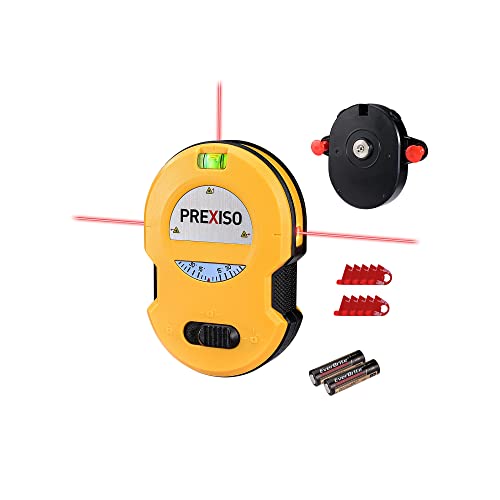
- Laser distance meter, u00b11.5 mm accuracy: essential for yaw nulling. Models with a pivoting end-stop are worth the premium because they let you reference the chassis edge cleanly. Two identical units let you read both corners simultaneously and cut iteration time substantially.
- 1 m aluminum straightedge: for screen planarity. A drywall T-square is a serviceable substitute.
- Steel rule or tape with mm graduations: image-edge measurements at 2 mm tolerance require millimeter markings, not sixteenths.
- Precision shim stock, 0.1–1.0 mm: brass or stainless shims under feet give you height trim finer than the feet’s thread pitch allows, without inducing pitch.
- Test pattern source: a USB drive with 4K crosshatch, nine-zone focus, and full-field white patterns. Avoid streaming apps — their scaling and sharpening processing will mislead your focus judgment.
- Optical cleaning kit: blower bulb first, then a dry microfiber, then lens-grade solvent only as a last resort. The aspheric mirror on a UST is soft-coated and unforgiving of abrasive contact.
On component replacement: the realistic field-serviceable items are feet, shims, and the cabinet or stand itself. Replacing stock plastic feet with threaded M6 or M8 machine feet with locking nuts is the highest-value upgrade in this entire discipline, because it converts a coarse, backlash-prone adjustment into a fine, lockable one. Thread pitch of 1.0 mm gives roughly 0.08° of pitch change per quarter-turn on a typical 350 mm foot spacing — fine enough to hit the 0.1° target deliberately rather than by luck.
The internal aspheric mirror assembly is not a user-serviceable component. If the symptom matrix points to mirror decentering — asymmetric color fringing or geometry that cannot be squared at any chassis attitude — stop adjusting and open a warranty case. Attempting to shim an internal mirror mount will almost certainly make the fault permanent and void coverage.
Preventative Maintenance & Long-Term Reliability Protocols
A commissioned UST alignment is a perishable state. Carpet compresses under cabinet load, MDF shelves creep, seasonal humidity moves screen frames, and a single vacuum-cleaner impact undoes an hour’s work. Treat the following as a maintenance schedule rather than a troubleshooting list.
- Monthly (2 minutes): display a full-field white pattern and visually confirm the image edges still track the screen frame. Any visible overhang asymmetry means drift has begun.
- Quarterly (10 minutes): re-measure both corner-to-screen laser distances and compare against your commissioning log. Drift beyond 2 mm on either reading warrants a yaw re-null.
- Quarterly: blow dust off the exit aperture and mirror with a bulb blower. Never use compressed canned air at close range — the propellant can deposit residue on soft coatings and the pressure can disturb mirror alignment.
- Semi-annually: verify inclinometer readings for roll and pitch against the logged values, and inspect intake filters. A clogged filter raises internal temperature, which worsens the thermal focus shift noted in Stage 5.
- Annually: re-check screen plumb and planarity. Fixed frames mounted into drywall anchors are the most common slow-drift culprit, and no amount of projector adjustment fixes a screen that has rotated 0.4° on its cleat.
- After any room event: furniture moves, rug replacement, or a knock to the cabinet all mandate a full Stage 3–5 re-verification.
Two structural decisions pay long-term dividends. First, mount the projector on a rigid, non-compliant surface — a wall-mounted shelf with steel brackets, or a dedicated stand with a plywood or MDF top at least 18 mm thick, placed on hard flooring rather than carpet. Second, avoid cabinets with soft-close drawers or doors directly beneath the projector; the repeated impulse loading is a measurable drift source over months.
Frequently Asked Questions
How much resolution does digital keystone correction actually cost on a 4K UST projector?
The loss scales with correction magnitude. Correcting a 1° yaw error on a 100-inch image requires compressing roughly 1% of image height on one side, which forces the scaler to resample essentially the entire frame — every pixel is interpolated, not just the edges. Correcting a severe 4–5° error can cost 8–12% of effective horizontal resolution on the compressed side, plus visible scaling artifacts on fine text and subtitle edges. On a native-4K imager this converts a genuinely 4K image into something closer to upscaled 1440p along one axis. Mechanical alignment has zero resolution cost, which is precisely why it is worth the hour.
Why is the top of my image soft when the bottom is perfectly sharp, even though the geometry is square?
This is the signature of residual pitch error, and it can coexist with apparently square geometry because small pitch errors change focus distance faster than they change image shape. The UST lens is computed for a specific conjugate distance to every point on the screen. Pitching the chassis nose-down by even 0.3° lengthens the optical path to the top of the frame while shortening it to the bottom, pushing the top out of the depth of focus — which on a 0.23:1 aspheric design is extremely shallow. Return to Stage 3, verify pitch against the screen plane rather than against gravity, and confirm the screen itself has no forward lean. If both read true and the fault persists, suspect screen bow at the top edge.
Can I use the projector’s automatic alignment feature and then disable keystone afterward?
No — the two are the same system. Automatic alignment on nearly all consumer UST models works by sensing the image with an onboard camera or ToF sensor and then applying digital warping to compensate. It does not move anything mechanically. Turning keystone off afterward simply discards the correction and returns you to the raw, misaligned geometry. Auto-alignment is genuinely useful as a diagnostic: run it once, note the magnitude and direction of correction it applies, use that to infer which axis is out, then reset everything to zero and fix that axis mechanically. Treating the auto-correction value as an error readout rather than a solution is the right way to use the feature. For detailed technical setup and system integration, reference our analysis on ventilate enclosed av cabinets for 4k laser usts (2026).
Final Engineering Assessment
The tolerances that matter are narrower than most owners expect and wider than perfectionists fear: u00b10.1° on roll and pitch, u00b11 mm of laser-measured differential on yaw across a 400–600 mm baseline, u00b12 mm of image-edge symmetry, and screen planarity within 1.5 mm per meter. Hit those five numbers and a UST projector delivers uniform corner-to-corner focus with every pixel intact and no scaler in the signal path. Editorial evaluation of the common failure patterns consistently points back to the same two root causes — coupled foot adjustment that changes pitch while chasing height, and screens that were never verified plumb before the projector was blamed. Measure the screen first, decouple your adjustments, finalize focus at operating temperature, and log the numbers so next year’s drift takes two minutes to diagnose instead of an afternoon.